
StalkerIPTV for Americans Abroad: Watch US TV, Local News and Your Team From Overseas
Living overseas, deployed, studying abroad or on a long trip? Here is how StalkerIPTV lets Americans watch US networks, local news and…
Read the guide
StalkerIPTV brings your local ABC, CBS, NBC and FOX stations, cable favorites, NFL, NBA, MLB and NHL games and a deep on-demand library into a single guide. Stream it on a smart TV, Fire TV Stick, phone or laptop – with no cable box to rent, no installer visit and no annual contract.
One StalkerIPTV login opens in every major IPTV player. On a smart TV, an Android phone, an iPhone, a streaming stick or a laptop, setup takes roughly five minutes and no tech background.





StalkerIPTV plays on Samsung and LG smart TVs, Android TV and Google TV, every Fire TV Stick, MAG boxes, phones, tablets and computers using VLC or IPTV Smarters Pro. Device-by-device steps are on our setup guide.
One payment covers the whole period. There is no monthly statement, no equipment fee and no “broadcast TV surcharge” – and if StalkerIPTV will not play on your device, the money comes back within 7 days.
One season to see how StalkerIPTV performs on your own TV and Wi-Fi.
Football in the fall, hoops in winter, baseball all summer – a whole year paid once.
Sunday Night Football in the den while someone else binges a show upstairs.
The StalkerIPTV trial unlocks the same channels and library as a paid plan. Only two things change: how long it lasts, and the 7-day guarantee that begins when you buy.
| What we compare | Free trial | 3 months | 12 months | Family 12 months |
|---|---|---|---|---|
| Price | $0 | $29 | $65 | $120 |
| Length | 24 hours | 3 months | 12 months | 12 months |
| Per month | – | about $9.67 | about $5.42 | about $10 |
| 25,000+ live channels | ||||
| ABC, CBS, NBC, FOX and local news | ||||
| Sports in 4K and 60 FPS | ||||
| 100,000+ movies and series | ||||
| Screens at once | 1 | 1 | 1 | 2 |
| Setup help | ||||
| Card when ordering | not needed | one-time payment | one-time payment | one-time payment |
| 7-day guarantee | not needed | |||
| Request | Order | Order | Order |
In many American homes, sports is why the streaming bill keeps growing: one app for Sunday football, another for basketball, a third for your baseball team, plus a regional sports fee. StalkerIPTV puts all of those channels in the same guide as your local news and favorite shows.
Every NFL Sunday window, Monday and Thursday night games, the playoffs and the Super Bowl, plus college football from the first Saturday to the bowl games.
The NBA from tip-off to the Finals, the WNBA and men's and women's college hoops, with March Madness on every bracket night.
MLB from Opening Day through October, with regional sports networks so you can follow your own club wherever you live.
NHL regular season on national and regional channels, the Stanley Cup Playoffs and the outdoor games.
MLS, Liga MX on Spanish-language channels, the Premier League, the Champions League and the USMNT and USWNT.
UFC cards and boxing, NASCAR from Daytona to the finale, IndyCar and Formula 1, plus golf and tennis majors.
Super Bowl Sunday, Thanksgiving football or a Game 7 can bring many times the normal number of viewers online at once. StalkerIPTV adds server capacity ahead of those dates, and every popular sports channel has more than one source. If one feed slows down, switching to a backup in your player takes seconds.
Sports channels run at up to 60 frames per second, so a deep pass or a slap shot stays crisp instead of smearing. On channels with catch-up, a 1 p.m. Eastern kickoff you missed at work can be played from the start in the evening.
A sports year with no gaps: football and hockey open in the fall, basketball and March Madness carry winter and spring, baseball owns the summer, and soccer, NASCAR and fight nights fill every month in between. One StalkerIPTV plan covers the whole calendar.
Choose a planNearly every smart TV sold since 2017 runs StalkerIPTV without extra hardware. An older set only needs an inexpensive streaming stick, and the steadiest picture of all comes from an Android TV box wired straight to your router.
Get a player from Google Play and stream at home or over 5G on the go.
App Store players for every Apple screen, Mac included.
Chromecast with Google TV, Nvidia Shield and other Android TV boxes.
MAG, Formuler, Enigma2 and Windows or Mac computers; game consoles through a player app or the browser where supported.
The most popular way in the US to give an older TV a second life.
Install a player from the TV app store, no extra box required.
You look at the player every single day, so choose it with care. On a Fire TV Stick or an Android TV box our first pick is TiviMate: a clean guide, fast zapping and easy favorites. On Samsung and LG sets, IPTV Smarters Pro, IBO Player and SET IPTV all do the job well. Apple devices have their own players, and on a laptop plain VLC works.
Your StalkerIPTV login fits every one of them, so feel free to test two players and keep your favorite. Screenshots and steps for each device are in the setup guide.
In most cases no, but it is worth a look. A few provider boxes run Android and allow app installs; if yours is one of them, the same player that works on any Android box will run on it.
A receiver built only for coax, a dish or an antenna cannot play an internet stream. Then the simplest fix is a streaming stick in the TV's HDMI port. It costs less than a single month of a typical cable bill, lasts for years, and lets you send the rented receiver back to the provider.
The average American TV bill is a stack of line items: a cable or live TV streaming package, a broadcast TV fee, a regional sports fee, a separate app for out-of-market games and one or two on-demand services for movies. Each one looks harmless on its own, yet together they can easily pass a thousand dollars a year.
Our example adds up three services running side by side, each roughly $20–$80 a month, and sets them against the StalkerIPTV yearly plan at $65 for channels, sports and movies together. The numbers are approximate; your own savings depend on what you pay right now.
Low price does not have to mean shady. Our price pays for servers that stay up on game night and for real people who answer your messages. Be careful with “lifetime” offers for a few dollars: those are the streams that drop right at kickoff.
Three separate services: approx. $60–$240 a month, or $720–$2,880 a year.
StalkerIPTV yearly plan: $65 one time, about $5.42 a month.
And also: no contract, no receiver rental, no broadcast TV or regional sports surcharge and no surprise on your statement. Want to keep one service you already have? No problem – several apps can live on the same TV.
Most families flip between the same handful of channels every night. So StalkerIPTV puts the American networks and the big cable channels at the very top, and sorts everything else into tidy folders by country and topic.
The first time you sign in, your player shows clear groups: USA locals, USA entertainment, news, sports, movies, kids, documentaries, Spanish-language TV and dozens of countries in A–Z order. Each channel shows what is on now and what is next, and search finds a channel or show after just a few letters.
Popular channels come in several versions: 4K, Full HD and a lighter HD stream. When everyone at home is online in the evening, switch to the light feed and the picture keeps going. On a fast fiber line, 4K makes football and nature shows look noticeably sharper.
We maintain the channel list on the server. When channels are added, you do not download or set up anything – your player loads the changes the next time it opens.
Cartoons and family channels live in their own folder, so young kids find them without scrolling past grown-up content. Parents can also set a PIN lock in the player to hide chosen categories.
Popular channels
You open the electronic program guide (EPG) every day, so it has to be right. The StalkerIPTV guide follows your device clock – Eastern, Central, Mountain, Pacific, Alaska or Hawaii – and adjusts for daylight saving time, so kickoff and the 6 o'clock news show up exactly when they air.
Scroll a week ahead, set reminders, and on catch-up channels replay a show that already aired. That helps when a West Coast game tips off late at night or an East Coast kickoff lands in the middle of your workday.
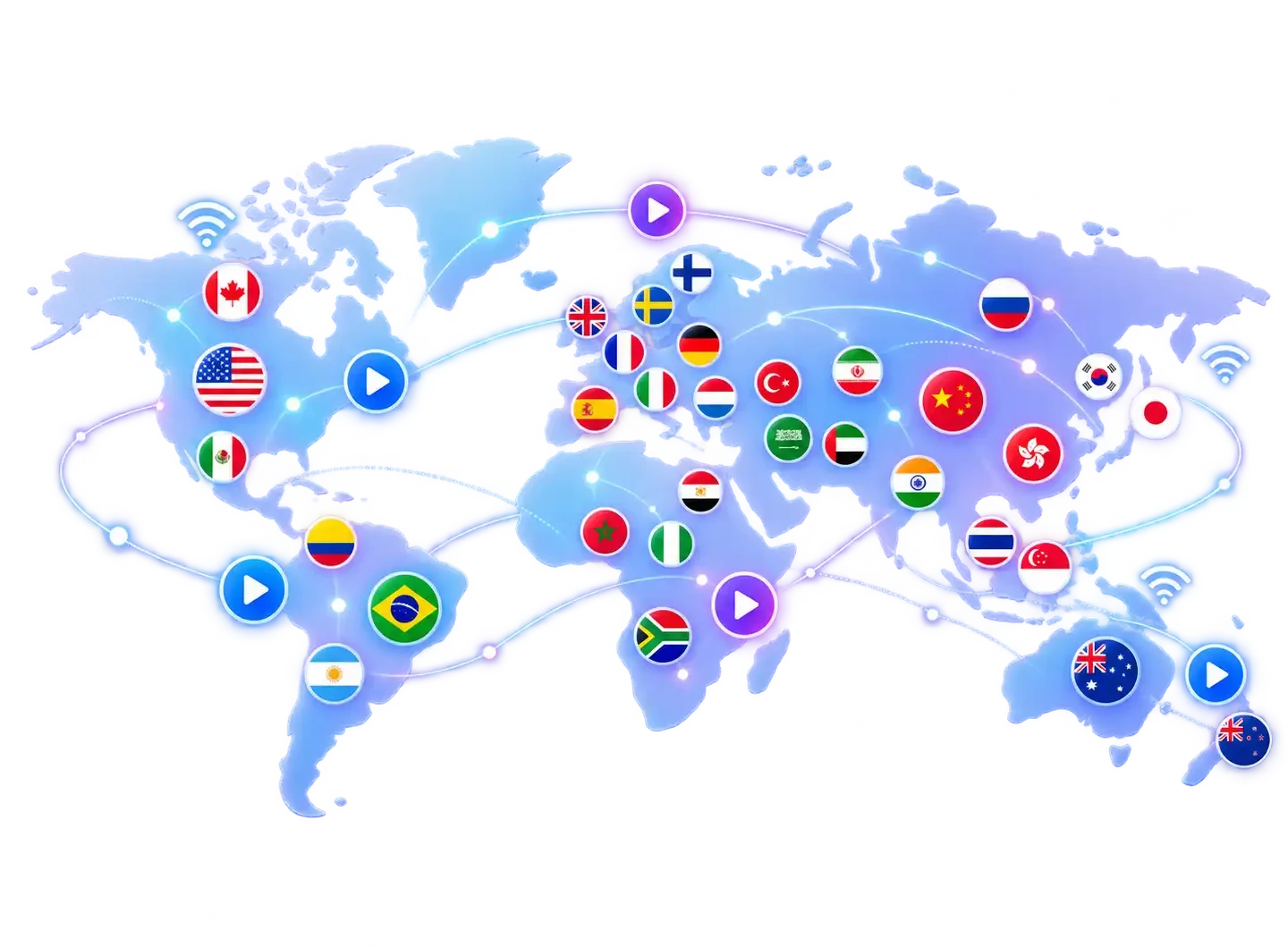
StalkerIPTV is not tied to your living room. Snowbirds wintering in Florida or Arizona, RV travelers, students away at college and Americans on vacation in Mexico or Europe see the same lineup as at home, as long as the connection is fast enough.
For Americans living overseas, it is often the simplest way to stay close to home: the local evening news, the big game and a Sunday movie, side by side with channels from the country they live in.
American channels come first, then Latin America, Europe, Asia and the rest of the world, each in its own country folder. Ideal for the many US families who want news, sports and shows in a second language.
The winner is not whoever claims the most channels. It is the service that holds up at 8 p.m. when the whole country is watching, where your channels are easy to find, and where a real person replies.
| What we compare | StalkerIPTV | Cheap list from an unknown seller | Cable or satellite TV |
|---|---|---|---|
| Local US networks | Own folders, East and West feeds, guide in your time zone | Often mixed up with others | Yes |
| Sports and premium movies | In the same plan | Changes from week to week | As paid add-ons |
| Price | One-time $29–$120 | Cheap, but no guarantee | Monthly bill, fees and contract |
| Devices | TV, stick, Android TV, phone, computer | No instructions | Often only their rented box |
| Help with problems | Message support every day | The seller disappears | Call center, hold times |
| If it does not work | Money back within 7 days | No refund | Under the contract terms |
The table also shows what to steer clear of. A ten-dollar-a-year list sounds great until the channels vanish overnight and the seller goes silent. Cable is dependable, but sports tiers and premium movie channels cost extra, receiver fees stack up and many deals lock you in for 12 or 24 months. StalkerIPTV sits in between: a fair one-time price, plain terms and a team that actually writes back.
Local stations, regional sports and Spanish-language TV are not paid extras at StalkerIPTV. They come with every plan, each sorted into its own folder.
New York, Boston, Philadelphia, Washington, Atlanta and Miami affiliates on the Eastern feed, plus the big cable news and entertainment channels.
Chicago, Dallas, Houston, Detroit and more on Central time, with the regional sports networks that carry local MLB, NBA and NHL teams.
Los Angeles, San Francisco, Seattle, Denver and Phoenix stations on the Pacific and Mountain feeds, so prime time starts at the right hour.
Univision, Telemundo, UniMás and Latin American channels with novelas, news, Liga MX and Spanish commentary on NFL and soccer.
For sports fans, regional networks are the real prize. Moved from Boston to Texas, or from Chicago to Arizona? With East and West Coast feeds and regional sports channels you keep following your own team instead of whatever game your new local station picks. When a game airs on several channels, you choose the call: the national crew, your team's home broadcasters or the Spanish-language feed.
A TV service is only as good as its worst evening – usually the minute the stream freezes during the biggest game of the season. StalkerIPTV is built around that minute: spare capacity for big nights, several sources per sports channel and US-based support hours that reply the same evening. This site is not connected to other companies or apps that use a similar name.
Spanish-language channels are also a quiet bonus for bilingual families: kids keep hearing both languages at home, and anyone learning Spanish picks up natural speech from the news and telenovelas.
Live TV is only half of it. Every plan also opens a large on-demand library, with new Hollywood and international titles added each week and English subtitles on many of them. It works like the streaming apps you know: browse by genre, watch a trailer, press play and pick up later on another screen right where you stopped.
Selected titles play in 4K with wider color. On a big TV the step up from Full HD is obvious in nature films and summer blockbusters. And there is no separate monthly charge for the movie library.
When a stream stutters, the cause is usually inside the house, not at the server. These five steps clear up most cases, so run through them before the next big game.
A cable from the router to the TV or box removes nearly every hiccup. If running a cable is not practical, a powerline adapter or a mesh node near the TV is a good middle ground.
Most routers broadcast two networks. The 5 GHz band is faster and less crowded by your neighbors, as long as the router is not several walls away.
A router or ISP gateway that has run for weeks gets sluggish. Unplug it for thirty seconds and restart the TV or streaming stick at the same time.
Your player has a buffer setting. Set it to medium and the app keeps a few seconds in reserve, so a short dip in speed never reaches the screen.
When the whole household is streaming, switch the channel from 4K to Full HD. You only notice the difference on a very large screen, and the pauses go away.
Send our team a screenshot along with your device and internet provider. We check the settings with you, and if it is still not right in the first week, the guarantee covers you.
IPTV stands for Internet Protocol Television. Put simply, the TV signal arrives over the same home internet you already use for Zoom calls and Netflix. A server takes in the broadcast and compresses it, and the app on your TV or phone turns it back into picture and sound.
None of this is new or exotic. America's biggest cable, phone and live TV streaming companies deliver their own channels the same way, and so do the networks' own apps. What differs is how many channels and how much content a service gathers in one place.
Think of AM/FM radio versus a podcast. Antenna TV is like radio: everybody gets the same broadcast at the same moment. Internet TV is closer to a podcast: the show is delivered when you ask for it, and you can often pause, rewind or watch it later.
That freedom is why millions of US households have cut the cord. When the TV, the streaming stick and the phone share one connection, all of your entertainment fits in one app and one subscription, with the same guide, catch-up and search on every screen.
You will not find made-up reviews or star ratings here. Instead we gathered what US viewers on Reddit and forums typically praise and complain about with IPTV – and what StalkerIPTV does about it.
Paying a fraction of a cable bill, having every league and the movies in one place, and simplicity: once the player is set up, the TV opens straight into the lineup.
Buffering in the fourth quarter, channels that disappear with no explanation, and sellers who stop replying once they are paid. Those are the hallmarks of the cheapest anonymous lists.
Load spread across several servers, a channel list maintained centrally, and a support team on WhatsApp every day. If it does not work in your first week, you get a refund.
The technology is, yes. IPTV is simply a way of delivering video, and the largest cable, telecom and streaming companies in America use it every day. Whether a particular service is legal depends on the rights behind the content it carries, and that responsibility lies with the provider.
As a viewer, stay away from services with no contact details, no terms and no refund policy. We go into more detail on the StalkerIPTV reviews and FAQ page.
StalkerIPTV is for people who are done paying for three overlapping services and hopping between apps. No tech skills needed: if you can install an app on your phone, you can install one on your TV, and our team walks you through the rest over chat.
Run a speed test on your phone next to the TV, not beside the router. Under 15 Mbps? Try an Ethernet cable before paying your ISP for a faster tier.
The settings menu shows whether the TV runs Tizen, webOS, Roku OS, Fire TV or Google TV. Knowing that helps us pick the right player and speeds up setup.
Do two people at home really watch different things at the same time? If not, a one-screen plan is plenty, even with several devices in the house.
Note three channels, teams or leagues you cannot live without. Ask us before you order and you will know for certain.
Short plans are for testing, the year is the cheapest. Nothing auto-renews, so there is no cancellation to forget.
Read the refund policy before you pay. With a trustworthy service it is short and written in plain English.
A StalkerIPTV order is not a monthly contract that quietly renews. It is one payment for the period you choose, and the whole process takes less than fifteen minutes.
There is no store account or app account to create. All we need is an email address or a WhatsApp number to send your login. Renewing later, moving to a longer plan or adding a second screen all happens in the same chat, without reinstalling anything.
You only find out how good a service is when something breaks. So StalkerIPTV support sits right where you ordered: on WhatsApp, where the chat history is saved and a screenshot takes one tap. We reply in English seven days a week, including evenings and weekends – exactly when America watches the most TV.
Most questions are about picking a player, typing in the login, guide times and buffering, and most are solved in a few messages. If the issue is on our end, we fix it and tell you what happened.
Quick, straight answers to what people usually ask us before ordering.
Three months are $29, six months $44 and twelve months $65. The 12-month plan with two screens at the same time is $120. Every plan is a single payment and nothing is charged automatically at the end. The lineup is identical across plans, so a longer plan does not add channels; it just lowers the monthly cost.
Usually a few minutes after payment. Your login arrives by email and WhatsApp, and the first setup takes five to ten minutes. No message? Check your spam or promotions folder, or write to us and we will resend it.
Probably not. Most Samsung, LG and Android TV or Google TV sets sold since 2017 work as they are. An older TV just needs a streaming stick in the HDMI port. Send us your TV model and we will tell you right away whether you need anything extra.
Around 15 Mbps for Full HD and 25 Mbps for 4K, measured at the TV. Ethernet or 5 GHz Wi-Fi improves stability more than paying for a faster plan. Always test in the room where you watch, because walls and distance cut Wi-Fi speed more than most people expect.
Yes, as long as the 4G LTE or 5G signal is strong enough. Unlimited data works best, since an hour of 4K uses several gigabytes. On a hotspot, choose the Full HD version of a channel: it uses less data and copes better with a weak signal.
Yes. Local ABC, CBS, NBC and FOX affiliates with East and West Coast feeds, regional sports networks and Spanish-language channels like Univision and Telemundo are in every plan at no extra cost, each in its own folder with the guide in your time zone.
You can install it on every device in your home; a standard plan streams on one screen at a time, and the two-screen plan on two at once. Keep the app on the living room TV, your phone and a tablet and watch on whichever is closest.
Streaming stops and your card is never charged. We send a reminder before the end date, and if you renew you keep the same login, favorites and player settings, so everything picks up as before.
IPTV itself is a legal technology used by the biggest American cable and streaming companies. Content rights are the provider's responsibility. You can read a fuller explanation on the StalkerIPTV reviews and FAQ page.
If StalkerIPTV does not work in your first 7 days and our team cannot fix it, message us on WhatsApp or email [email protected]. The payment goes back to the original payment method. We only ask for a short description of the problem so we can prevent it for other customers.
Living overseas, deployed, studying abroad or on a long trip? Here is how StalkerIPTV lets Americans watch US networks, local news and…
Read the guide
Sports fans in the US often pay for a sports tier, a regional sports fee and several league apps. Here is how…
Read the guide
What makes StalkerIPTV different from cable, streaming stacks and bargain IPTV lists? Seven concrete reasons, plus the cases where StalkerIPTV is not…
Read the guide